

Prerequisites
To follow the steps on this page:- Create a target with the Real-time analytics capability enabled. You need your connection details. This procedure also works for .
- Download and install DBeaver.
Connect DBeaver to your Tiger Cloud service
To connect to :-
Start
DBeaver - In the toolbar, click the plug+ icon
-
In
Connect to a databasesearch for -
Select , then click
Next -
Configure the connection
Use your connection details to add your connection settings.
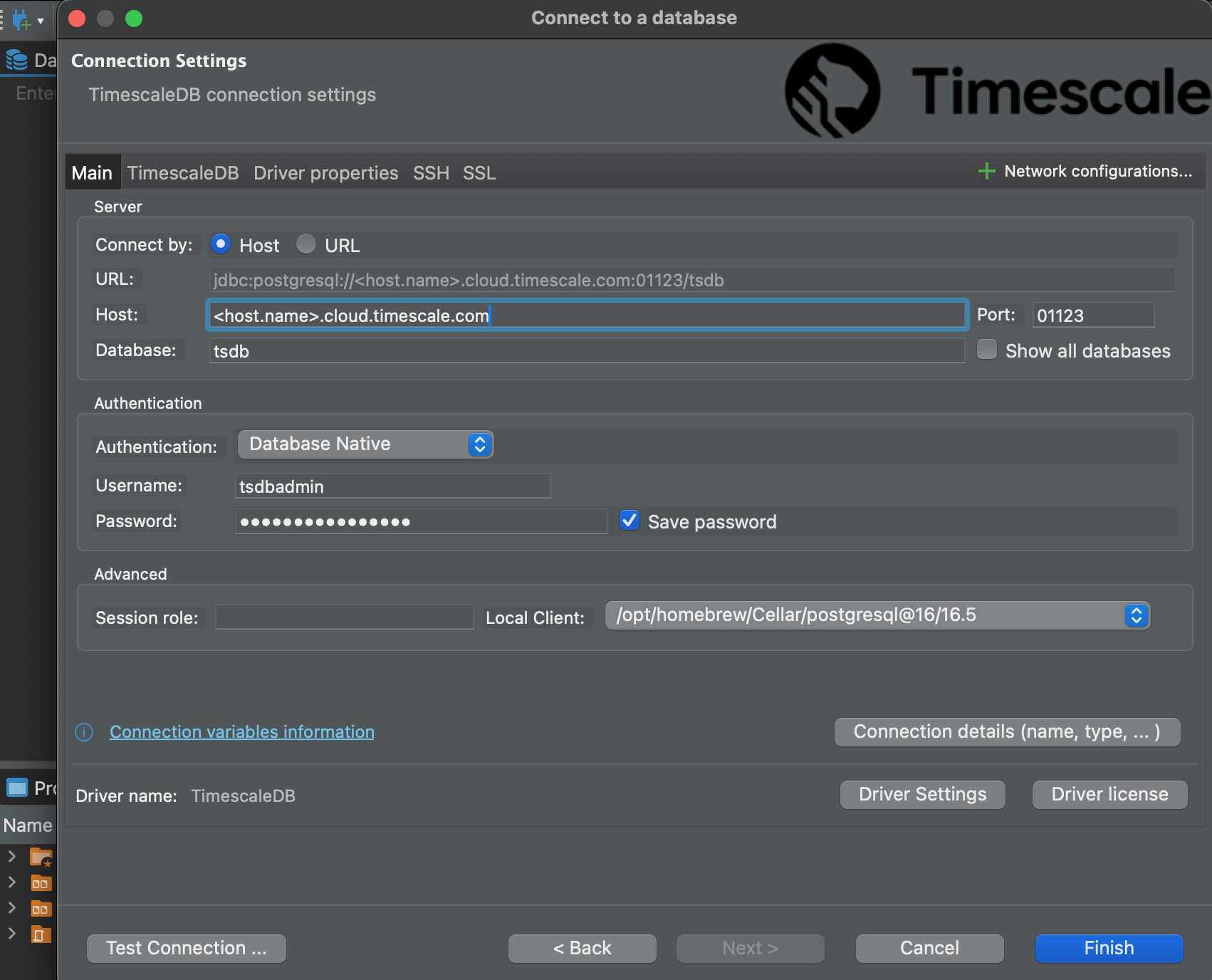 If you configured your to connect using a stricter SSL mode, in the
 SSLtab checkUse SSLand setSSL modeto the configured mode. Then, in theCA Certificatefield type the location of the SSL root CA certificate. -
Click
Test Connection. When the connection is successful, clickFinishYour connection is listed in theDatabase Navigator.